> ## Documentation Index
> Fetch the complete documentation index at: https://docs.danahq.com/llms.txt
> Use this file to discover all available pages before exploring further.
# Custom instructions
> Tell Dana exactly how you want your briefs written.
You can tell Dana exactly how you want your briefs written. Prefer shorter summaries? Want to always highlight deal stage or funding info? Need briefs in a specific format for your workflow? Set it once and every brief follows your rules.
 ## Setting custom instructions
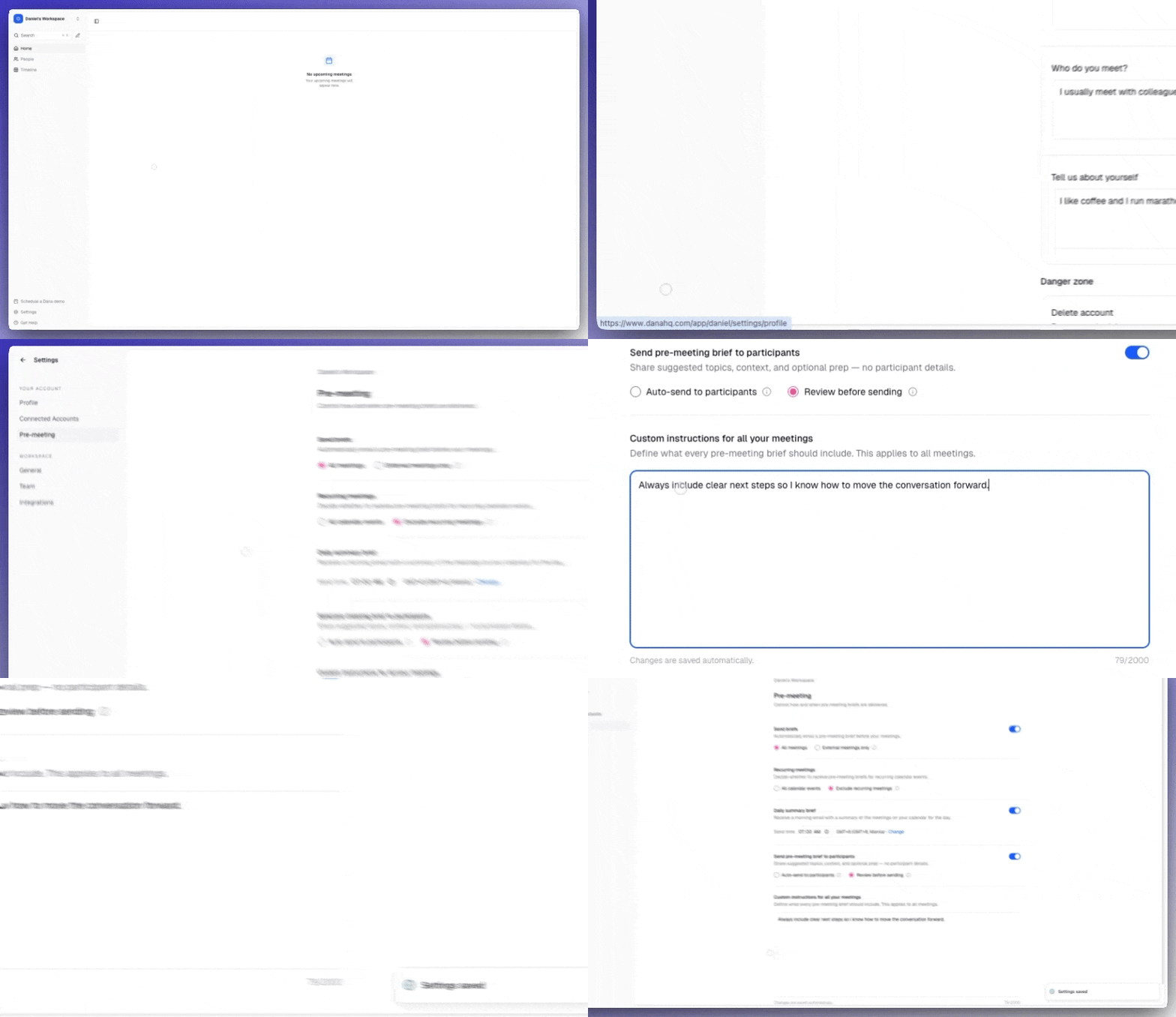
Go to **Settings → Brief Settings**.
Scroll to **Custom Instructions** and type in your preferences (up to 2,000 characters). Changes are saved automatically.
Hit **Regenerate** on any existing brief to see the change instantly.
Every future brief will follow your preferences automatically.
## Examples of useful instructions
**For format and length:**
* *"Keep briefs under 200 words."*
* *"Use bullet points instead of paragraphs."*
* *"Start every brief with a one-sentence TL;DR."*
**For sales and BD workflows:**
* *"Always highlight the company's funding stage and most recent funding round."*
* *"Surface the deal stage and last touchpoint at the top."*
* *"Include any open objections or concerns from past calls."*
**For relationship-driven workflows:**
* *"Lead with the most recent email exchange with this contact."*
* *"Always include the most recent Dex note and any active reminders."*
* *"Highlight personal details — kids, hobbies, recent life events — if mentioned in past notes."*
## Tip: combine with integrations
Custom instructions work even better when paired with connected sources. If you've connected [Dex](/integrations/dex), [Slack](/integrations/slack), or [Notion](/integrations/notion), tell Dana which sources to prioritize:
> *"Prioritize Notion prep docs and Dex notes over generic LinkedIn data."*
As you connect more integrations, your custom instructions will automatically apply to those new sources too.
## Setting custom instructions
Go to **Settings → Brief Settings**.
Scroll to **Custom Instructions** and type in your preferences (up to 2,000 characters). Changes are saved automatically.
Hit **Regenerate** on any existing brief to see the change instantly.
Every future brief will follow your preferences automatically.
## Examples of useful instructions
**For format and length:**
* *"Keep briefs under 200 words."*
* *"Use bullet points instead of paragraphs."*
* *"Start every brief with a one-sentence TL;DR."*
**For sales and BD workflows:**
* *"Always highlight the company's funding stage and most recent funding round."*
* *"Surface the deal stage and last touchpoint at the top."*
* *"Include any open objections or concerns from past calls."*
**For relationship-driven workflows:**
* *"Lead with the most recent email exchange with this contact."*
* *"Always include the most recent Dex note and any active reminders."*
* *"Highlight personal details — kids, hobbies, recent life events — if mentioned in past notes."*
## Tip: combine with integrations
Custom instructions work even better when paired with connected sources. If you've connected [Dex](/integrations/dex), [Slack](/integrations/slack), or [Notion](/integrations/notion), tell Dana which sources to prioritize:
> *"Prioritize Notion prep docs and Dex notes over generic LinkedIn data."*
As you connect more integrations, your custom instructions will automatically apply to those new sources too.