> ## Documentation Index
> Fetch the complete documentation index at: https://docs.danahq.com/llms.txt
> Use this file to discover all available pages before exploring further.
# LinkedIn
> Dana uses LinkedIn data to surface professional context in your briefs.
LinkedIn data gives Dana professional context about every person you meet: their role, company, background, and more.
## Current status
LinkedIn is not yet available as a connected account integration.
However, Dana already uses LinkedIn data in two ways:
### During onboarding
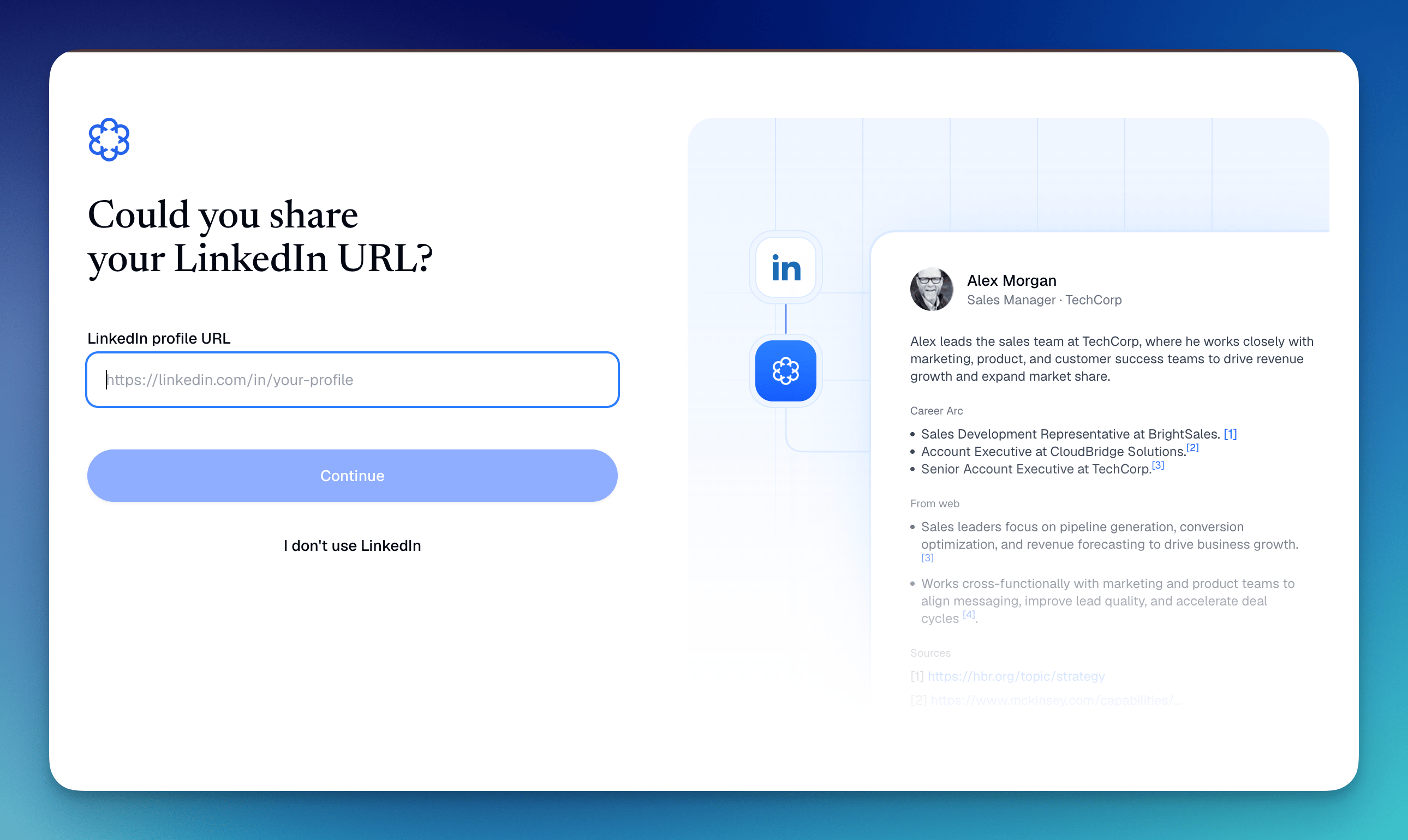
When you set up your Dana account, Dana uses your LinkedIn profile to learn about you — your role, company, industry, and professional context. This helps Dana personalize your briefs from the start.
 ### In meeting briefs
Dana surfaces LinkedIn data for your meeting attendees as part of brief generation, including:
* **Current role and company**: what they do and where they work
* **Career background**: past roles and experience
* **Professional context**: relevant details that help you walk in informed
LinkedIn data points appear as **citations** in your brief, so you can see exactly where each insight came from.
## What "Coming soon" means
A full LinkedIn connected account integration, where you authorize Dana to access your LinkedIn directly, is planned but not yet live. When it launches, it will be available under **Settings → Connected Accounts** alongside Google and Outlook.
For now, no action is needed on your part. Dana already pulls LinkedIn context into your briefs automatically.
### In meeting briefs
Dana surfaces LinkedIn data for your meeting attendees as part of brief generation, including:
* **Current role and company**: what they do and where they work
* **Career background**: past roles and experience
* **Professional context**: relevant details that help you walk in informed
LinkedIn data points appear as **citations** in your brief, so you can see exactly where each insight came from.
## What "Coming soon" means
A full LinkedIn connected account integration, where you authorize Dana to access your LinkedIn directly, is planned but not yet live. When it launches, it will be available under **Settings → Connected Accounts** alongside Google and Outlook.
For now, no action is needed on your part. Dana already pulls LinkedIn context into your briefs automatically.