

Notes are live on Dana
You can now add, edit, and delete notes directly from Dana. Notes link to one or more contacts and show up in their timeline, giving you and your team a shared history of every relationship.
- Add notes from the pencil icon next to the search bar or press N on your keyboard.
- Link notes to existing contacts or create new ones on the fly.
- Rich text supported: bold, italics, links, and ordered/unordered lists.
- Navigate between all contacts linked to a note from the note view.
- Edit or delete notes directly from the timeline.
Customize your briefs with custom instructions
You can now tell Dana exactly how you want your briefs written. Prefer shorter summaries? Want to always highlight deal stage or funding info? Need briefs in a specific format for your workflow? Set it once and every brief follows your rules.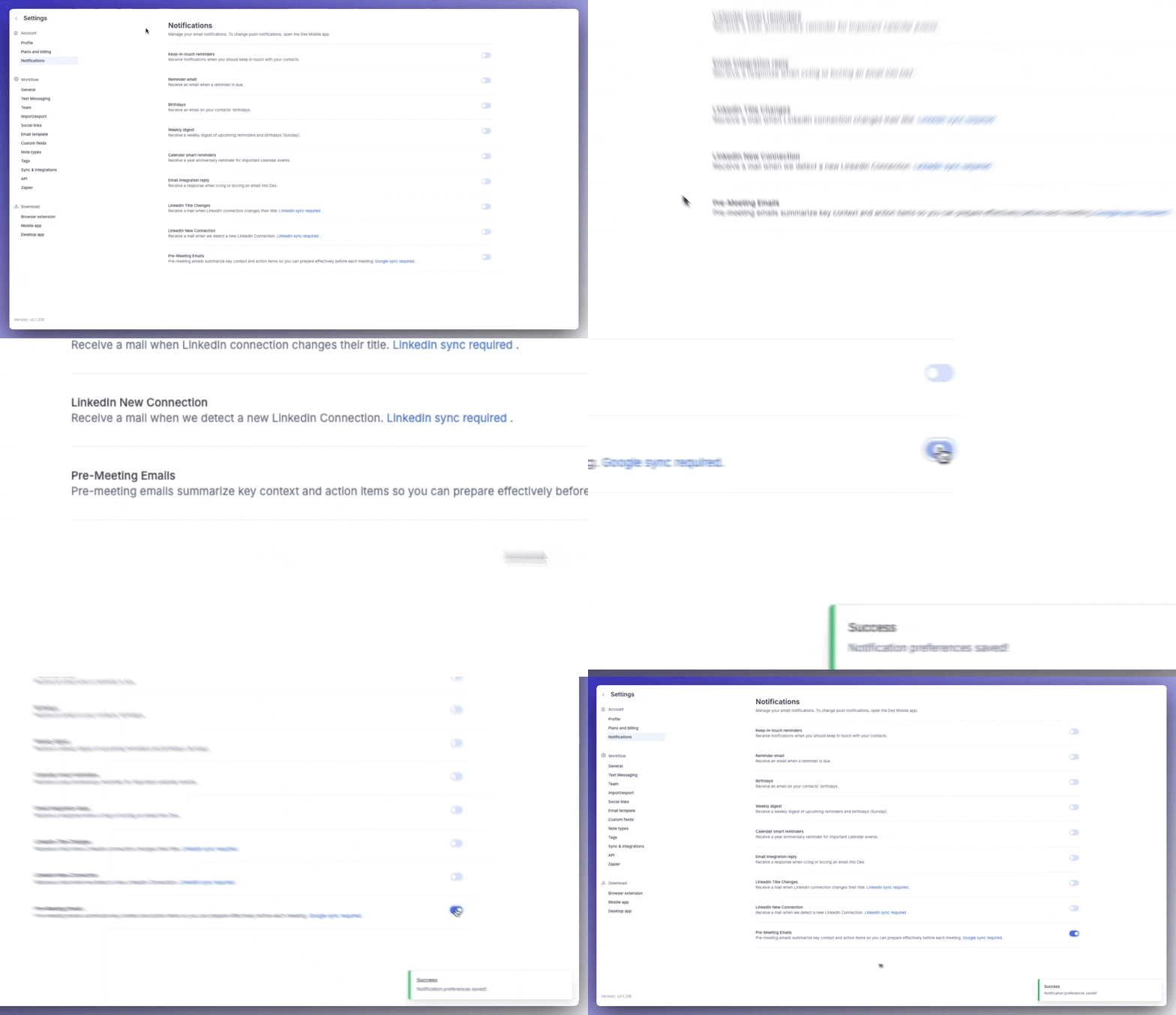
- Go to Settings → Brief Settings.
- Scroll to Custom Instructions and type in your instructions.
- Hit Regenerate on any existing brief to see the change instantly.
- Every future brief will follow your preferences automatically.
Citations in meeting briefs
Every point in your Dana brief now comes with a citation. Hover over any citation marker to see exactly where that insight came from: the source, the date, and a direct link to the original.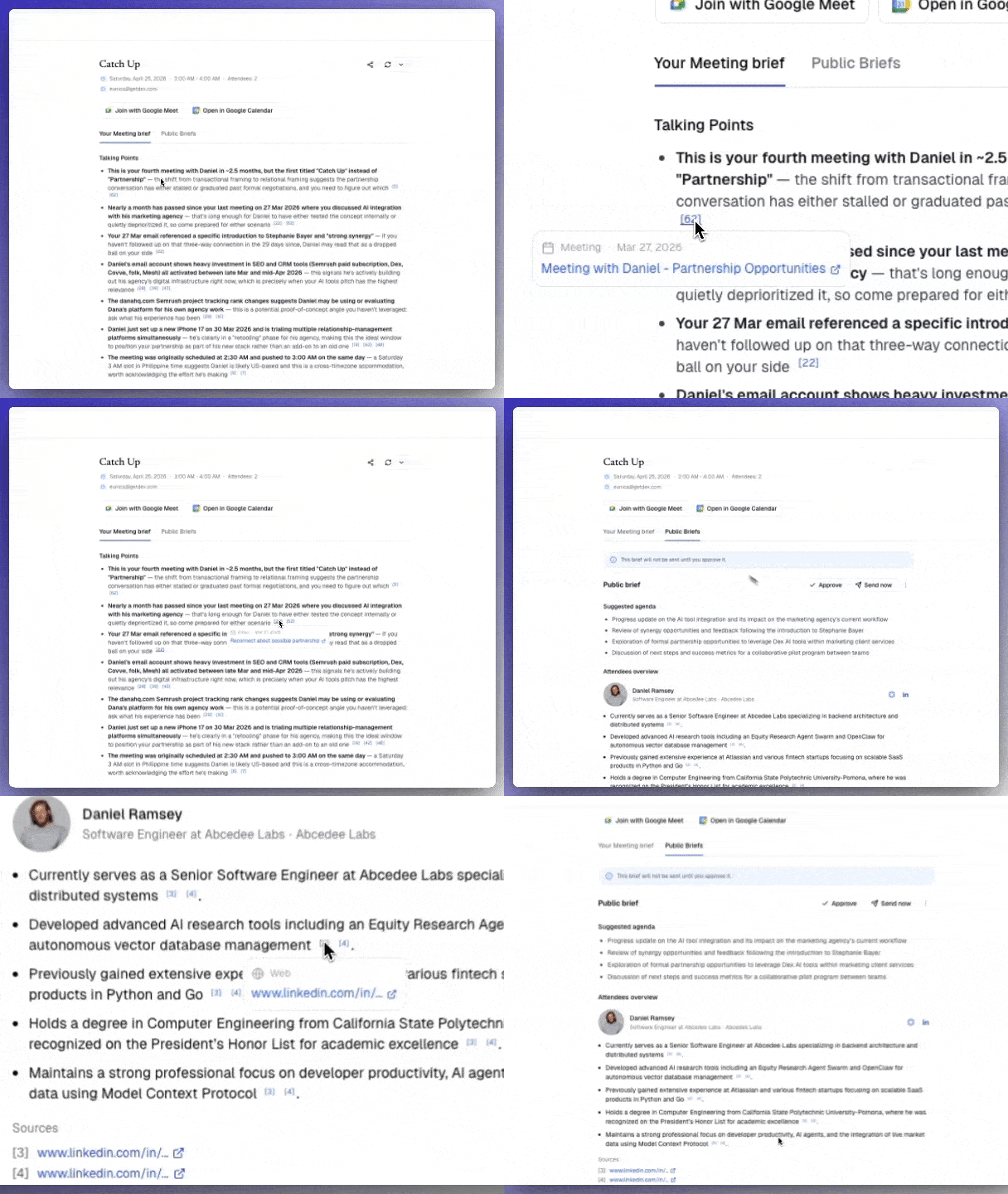
- Full traceability. Every claim maps back to a specific email, calendar event, LinkedIn data point, note, or web result. No more wondering “where did Dana get this?”
- Built to grow. The citation system is extensible. When we add integrations like Slack, those messages will automatically show up as sources too.
- Keeps AI grounded. Citations limit Dana to only reference real data from your connected sources, which means fewer made-up facts.
Bug fixes and improvements
- Improved brief intelligence so Dana now pulls from emails, calendar, LinkedIn, and web data to surface cross-source patterns instead of isolated facts.
- Improved context ranking so past interactions are sorted by recency and relevance, meaning stale context no longer crowds out what matters.
- Fixed date attribution so all data points are now timestamped with sender info, reducing repeated facts and misattributed details.
- Upgraded the AI model powering briefs for sharper, more personalized output.
- Updated brief length to include more useful context. Briefs may run slightly longer now. More signal, not more noise.
Dana is still early, and we’re building it alongside our users. If something feels off, missing, or could work better for your workflow, we’d love to hear about it. Your feedback shapes what we build next.
Got any feedback? Feel free to send a message to support@danahq.com