

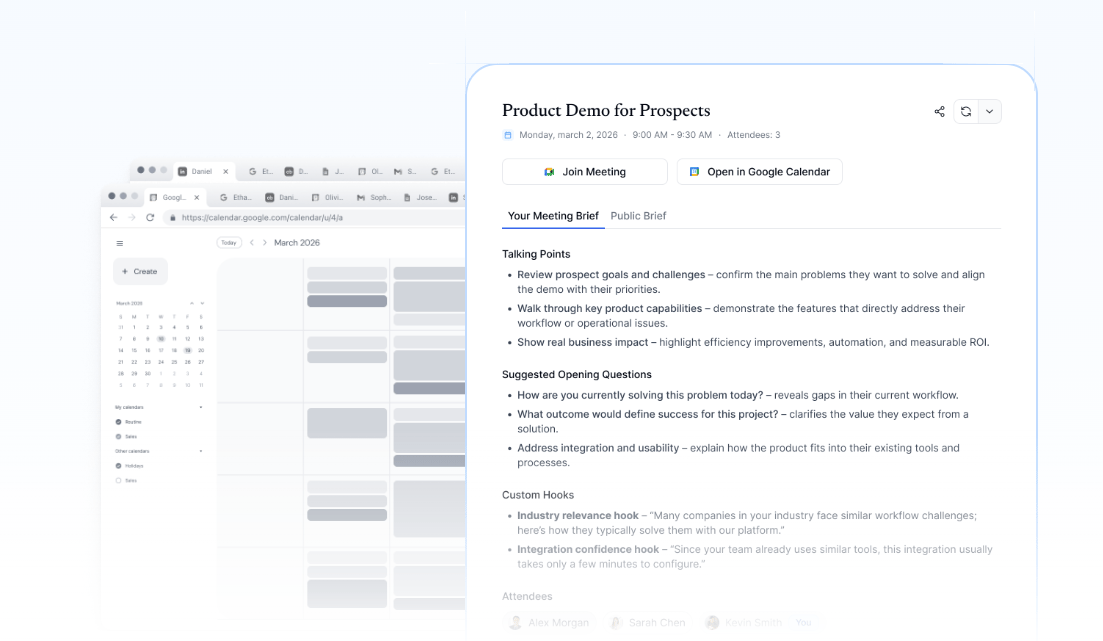
How briefs are generated
Dana cross-references your calendar, email, LinkedIn, and any other connected sources to surface what matters for each specific meeting. Briefs generate automatically — no manual prompting needed. You can also manually generate a brief from any meeting in Dana at any time. Briefs pull from:- Email exchanges with the attendees, timestamped with sender attribution
- Calendar events — past and upcoming meetings with the same attendees
- LinkedIn profiles of each attendee
- Web search results for company and topical context
- Notes you’ve added in Dana, linked to the relevant contacts
- Dex relationship history (if connected)
What you see in a brief
Every brief includes:- Attendee summaries with relevant background and recent context
- Cross-source patterns: Dana surfaces connections across emails, calendar, LinkedIn, notes, and the web instead of isolated facts
- Citations** on every claim**: hover over any citation marker to see exactly where the insight came from, the date, and a direct link to the original source
- Recency-ranked context: recent and relevant interactions are prioritized so stale context doesn’t crowd out what matters
Controlling which meetings get briefs
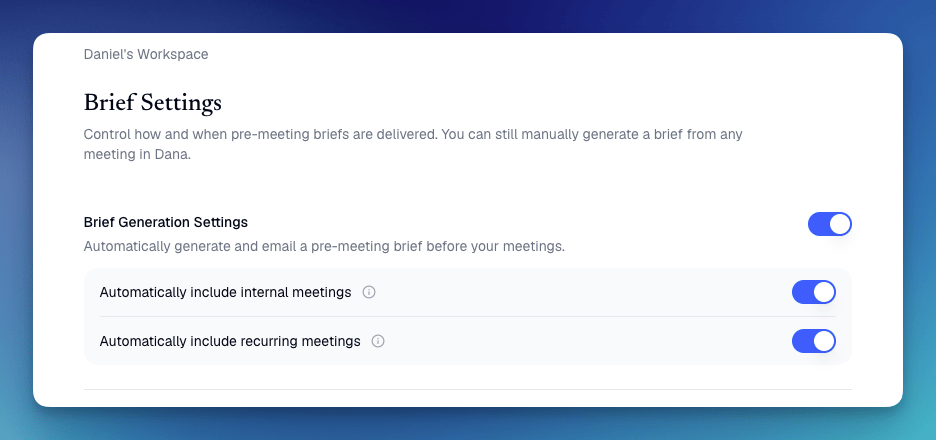
From Settings → Brief Settings, you can toggle:- Automatically include internal meetings: generate briefs for meetings with only internal attendees
- Automatically include recurring meetings: generate briefs for recurring meetings
Customizing briefs
You can shape how Dana writes your briefs with custom instructions. Examples:- “Keep briefs under 200 words.”
- “Always highlight deal stage or funding stage.”
- “Lead with the most recent email exchange.”
- “Use bullet points instead of paragraphs.”
Regenerating a brief
If you’ve added a new note, connected a new source, or updated your custom instructions, hit Regenerate on any existing brief to apply the changes immediately.Sharing briefs with participants
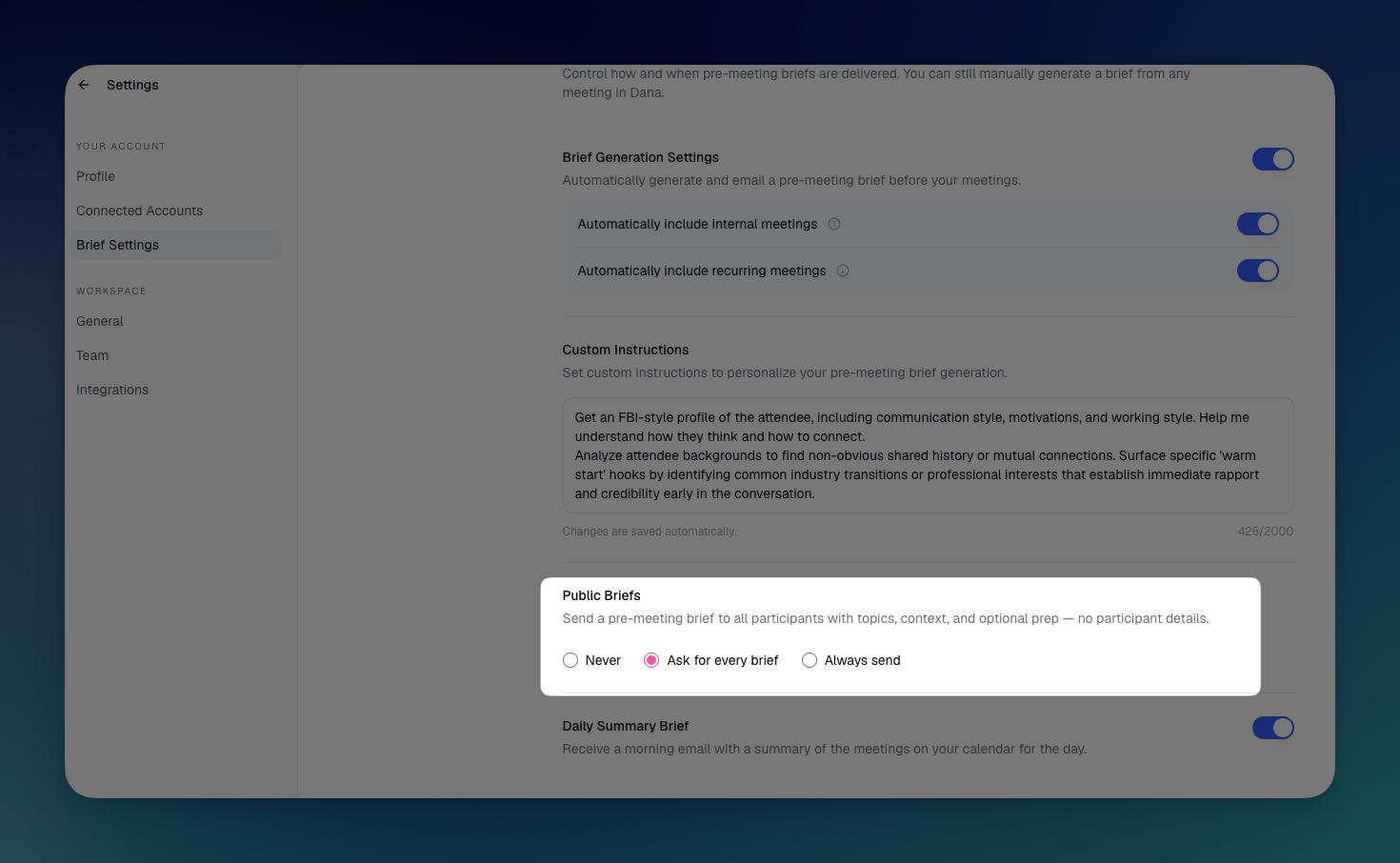
You can optionally send a public brief to all meeting participants with topics, context, and optional prep, and no participant details are shared. Control this from Settings → Brief Settings under Public Briefs:- Never
- Ask for every brief
- Always send
Briefs may run slightly longer than they used to. Dana now includes more useful context per meeting. We’re happy to hear your feedback so we can keep fine-tuning!