

Supported email providers
- Gmail (via Google Workspace or personal Gmail)
- Microsoft Outlook (via Microsoft 365 or Outlook.com)
Connect your email
If you signed up with Google or Microsoft, your email is connected automatically. To verify or manage the connection:1
Open Dana settings
Go to Settings → Connected Accounts.
2
Check your email status
Your Google or Outlook account should show as Connected.
3
Reconnect if needed
If your email shows as disconnected, click Reconnect and re-authorize.
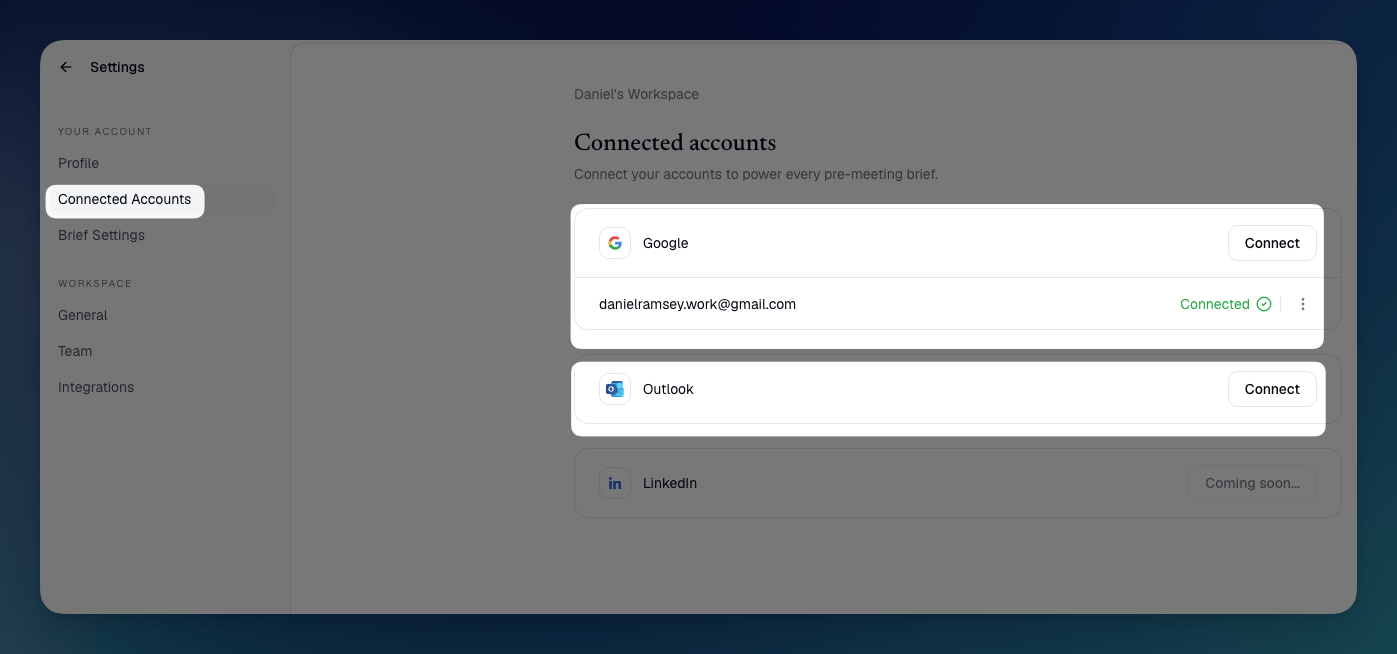
Easily connect your accounts via your Dana workspace settings.
What flows from email into your briefs
Once connected, Dana surfaces in every brief:- Recent and relevant email exchanges with each meeting attendee, ranked by recency and relevance so the most useful context rises to the top
- Relevant threads based on the meeting topic, pulling cross-source patterns rather than isolated facts
- Timestamped sender attribution — every data point shows exactly who sent it and when (e.g. “[8 May 2026, Sarah Chen]”), reducing repeated facts and misattributed details
Privacy
Dana reads your email to generate briefs but never sends, modifies, or stores the content of your emails beyond what’s needed to surface them as context.Learn more in our privacy page: https://www.danahq.com/privacy