

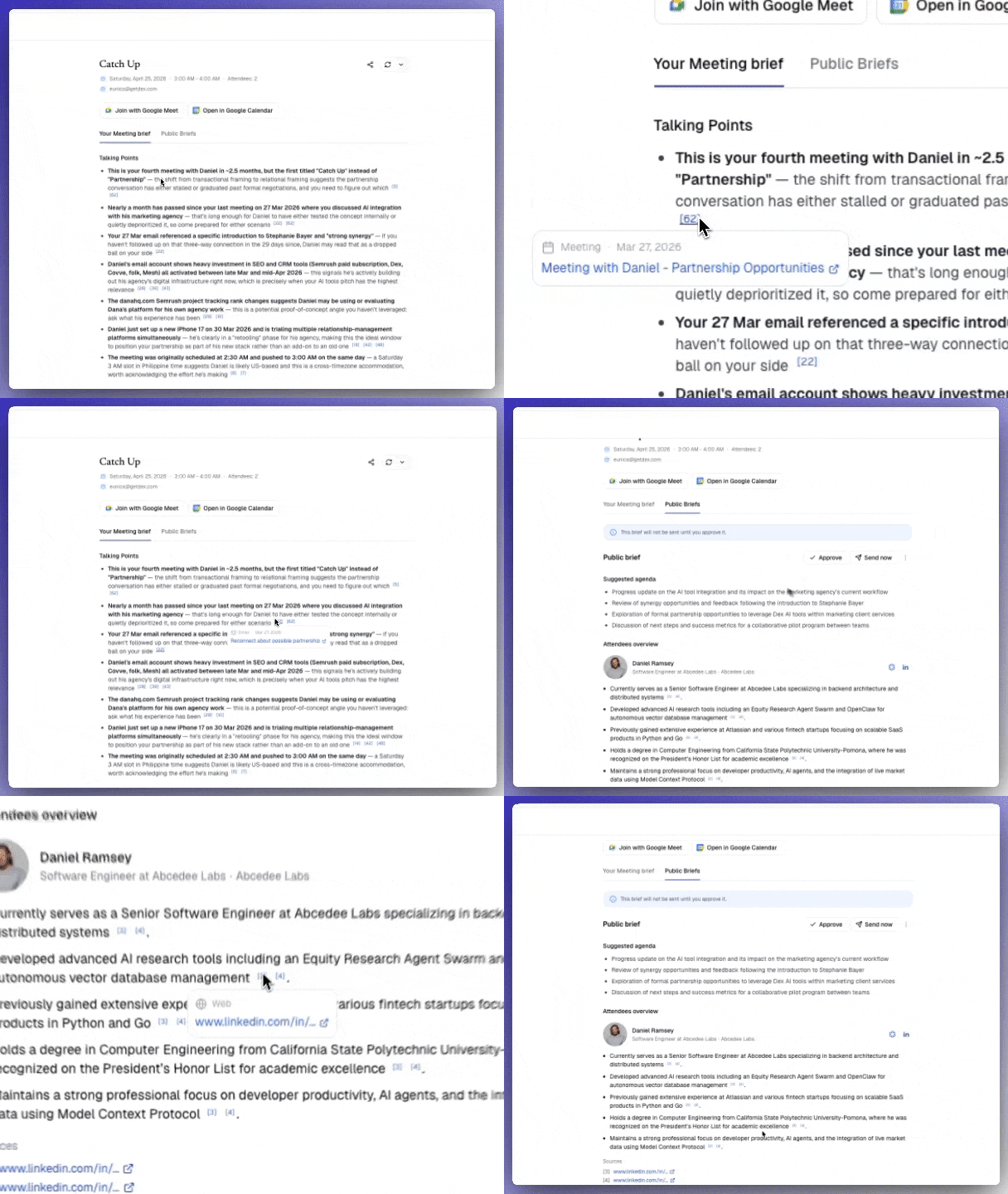
Every point in your Dana brief comes with a citation. Citations let you trace any claim back to exactly where it came from so you never have to wonder “where did Dana get this?”
Brieffinal2

How citations work

Hover over any citation marker in your brief for about a second to see a tooltip with:
  • The source type: email, calendar event, LinkedIn data, note, Dex, Slack message, or Notion page
  • The date: when the original data point was created or sent
  • A snippet: a brief preview of the source content
  • A direct link: click to jump to the original source
You can also click the source icon on any citation to go directly to the original without waiting for the tooltip.

Supported sources

Citations can reference any of your connected sources:
SourceWhat gets citedLink destination
EmailPast exchanges with attendees, with sender and timestampOriginal email thread
CalendarPast meetings and eventsOriginal calendar event
LinkedInProfessional context and backgroundLinkedIn profile
NotesNotes you’ve written in DanaNote in Dana
DexContact notes, relationship historyContact page in Dex
SlackRecent messages with attendeesOriginal Slack message
NotionPages, prep docs, AI Notetaker notesOriginal Notion page

Why citations matter

  • Full traceability: every claim maps back to a specific source. No more guessing where an insight came from.
  • Keeps AI grounded: citations limit Dana to only reference real data from your connected sources, which means fewer made-up facts.
  • Timestamped and attributed: every data point shows who said what and when (e.g. “[8 May 2026, Sarah Chen]”), reducing repeated facts and misattributed details.

Built to grow

The citation system is extensible. As Dana adds new integrations, those sources will automatically appear as citations in your briefs, no changes needed on your end.

Group meeting attribution

In meetings with multiple attendees, Dana attributes each citation to the specific contact it came from. A talking point about one attendee will cite sources related to that person, while a different point will cite sources for another so context never gets mixed up.
If you want Dana to always surface specific sources, add it to your custom instructions.For example:“Always cite the most recent Dex note and email exchange for each attendee.”